📝 背景
在视频监控、直播等场景中,RTSP (Real Time Streaming Protocol) 是一种广泛使用的视频流传输协议。然而,痛点在于:**浏览器原生并不支持 RTSP 协议 **,传统的 <video> 标签无法直接播放 RTSP 流。
为了在 Web 前端实现 RTSP 视频播放,我们需要“曲线救国”:将 RTSP 流转换为浏览器原生支持的 WebRTC 协议。
本文将手把手教你如何使用 MediaMTX 作为流媒体服务器,在 Vue3 前端项目中实现丝滑的 RTSP 视频流播放。
🛠️ 解决方案
我们需要两个核心工具:
- MediaMTX: 一个轻量级的开源流媒体服务器,核心能力是支持 RTSP 转 WebRTC。
- FFmpeg: 强大的音视频处理瑞士军刀,用于模拟 RTSP 视频流进行开发测试。
技术架构图:
1
| RTSP源流 --> MediaMTX服务器 --> WebRTC协议 --> 浏览器播放
|
💻 实操演练
1. 视频流模拟
首先,下载并启动 MediaMTX。
然后,下载 FFmpeg 工具,在FFmpeg的 bin 目录下打开 cmd,复制一个 mp4 文件到同目录下,执行以下命令进行推流:
1
| .\ffmpeg.exe -re -stream_loop -1 -i test.mp4 -c:v libx264 -s 1280x720 -preset ultrafast -tune zerolatency -an -rtsp_transport tcp -bsf:v h264_mp4toannexb -f rtsp rtsp://127.0.0.1:8554/mystream
|
💡 提示: 端口 8554 是 MediaMTX 的默认 RTSP 端口。
命令参数说明:
-re: 以原始帧率读取输入-stream_loop -1: 无限循环播放-i test.mp4: 输入文件-c:v libx264: 使用H.264编码-s 1280x720: 设置分辨率-preset ultrafast: 编码速度优先-tune zerolatency: 低延迟调优-an: 禁用音频-rtsp_transport tcp: 使用TCP传输
✅ 执行成功结果:
1
2
3
4
5
6
7
8
9
10
11
12
| Output
Metadata:
major_brand : mp42
minor_version : 0
compatible_brands: mp42isom
encoder : Lavf62.6.103
Stream
Metadata:
encoder : Lavc62.21.100 libx264
Side data:
CPB properties: bitrate max/min/avg: 0/0/0 buffer size: 0 vbv_delay: N/A
frame= 6747 fps= 30 q=21.0 size=N/A time=00:03:44.90 bitrate=N/A dup=0 drop=6 speed= 1x elapsed=0:03:44.74
|
2.封装webRTCPlayer
创建WebRTC播放器类,处理WebRTC连接和媒体流播放:
1
2
3
4
5
6
7
8
9
10
11
12
13
14
15
16
17
18
19
20
21
22
23
24
25
26
27
28
29
30
31
32
33
34
35
36
37
38
39
40
41
42
43
44
45
46
47
48
49
| export class WebRTCPlayer {
private pc: RTCPeerConnection | null = null;
private videoElement: HTMLVideoElement;
private iceConfig: RTCConfiguration;
private restartTimeout: number | null = null;
constructor(videoElement: HTMLVideoElement, iceConfig: RTCConfiguration) {
this.videoElement = videoElement;
this.iceConfig = iceConfig;
}
async start(offerData: RTCSessionDescriptionInit): Promise<RTCSessionDescriptionInit> {
this.stop();
this.pc = new RTCPeerConnection(this.iceConfig);
this.pc.ontrack = (event) => {
if (event.streams && event.streams[0]) {
this.videoElement.srcObject = event.streams[0];
}
};
await this.pc.setRemoteDescription(offerData);
const answer = await this.pc.createAnswer();
await this.pc.setLocalDescription(answer);
return answer;
}
stop(): void {
if (this.restartTimeout !== null) {
clearTimeout(this.restartTimeout);
this.restartTimeout = null;
}
if (this.pc) {
this.pc.close();
this.pc = null;
}
if (this.videoElement.srcObject) {
this.videoElement.srcObject = null;
}
}
}
|
创建MediaMTX连接管理类,负责与MediaMTX服务器通信:
1
2
3
4
5
6
7
8
9
10
11
12
13
14
15
16
17
18
19
20
21
22
23
24
25
26
27
28
29
30
31
32
33
34
35
36
37
38
39
40
41
42
43
44
45
46
47
48
49
50
51
52
53
54
55
56
57
58
59
60
61
62
63
64
65
66
67
68
69
70
71
72
73
74
75
76
77
78
79
80
81
82
83
84
85
86
87
88
89
90
91
92
93
94
95
96
97
98
99
100
101
102
103
104
105
106
107
108
109
110
| import { WebRTCPlayer } from './webRTCPlayer';
interface MediaMTXConfig {
apiBase: string;
rtcBase: string;
iceConfig: RTCConfiguration;
refreshInterval?: number;
}
interface CallbackHandlers {
onStateChange?: (state: string, message?: string) => void;
onError?: (error: Error) => void;
}
export class MediaMTXLinker {
private config: MediaMTXConfig;
private player: WebRTCPlayer;
private callbacks: CallbackHandlers;
private sessionUrl: string | null = null;
private refreshTimer: number | null = null;
constructor(config: MediaMTXConfig, videoElement: HTMLVideoElement, callbacks: CallbackHandlers = {}) {
this.config = config;
this.callbacks = callbacks;
this.player = new WebRTCPlayer(videoElement, config.iceConfig);
}
async play(rtspUrl: string): Promise<void> {
try {
this.stop();
this.emitState('connecting', '正在连接...');
const offerResponse = await fetch(`${this.config.rtcBase}/${encodeURIComponent(rtspUrl)}/whep`, {
method: 'OPTIONS'
});
if (!offerResponse.ok) {
throw new Error(`获取Offer失败: ${offerResponse.status}`);
}
const offerData = await offerResponse.json();
const answer = await this.player.start(offerData);
const sessionResponse = await fetch(`${this.config.rtcBase}/${encodeURIComponent(rtspUrl)}/whep`, {
method: 'POST',
headers: {
'Content-Type': 'application/sdp'
},
body: answer.sdp
});
if (!sessionResponse.ok) {
throw new Error(`建立会话失败: ${sessionResponse.status}`);
}
this.sessionUrl = sessionResponse.headers.get('Location');
this.emitState('playing', '播放中');
if (this.config.refreshInterval) {
this.startRefresh();
}
} catch (error) {
this.emitError(error as Error);
throw error;
}
}
stop(): void {
this.stopRefresh();
if (this.sessionUrl) {
fetch(this.sessionUrl, { method: 'DELETE' }).catch(console.error);
this.sessionUrl = null;
}
this.player.stop();
this.emitState('stopped', '已停止');
}
private startRefresh(): void {
if (!this.config.refreshInterval || !this.sessionUrl) return;
this.refreshTimer = window.setInterval(() => {
if (this.sessionUrl) {
fetch(this.sessionUrl, { method: 'PATCH' }).catch(console.error);
}
}, this.config.refreshInterval);
}
private stopRefresh(): void {
if (this.refreshTimer !== null) {
clearInterval(this.refreshTimer);
this.refreshTimer = null;
}
}
private emitState(state: string, message?: string): void {
this.callbacks.onStateChange?.(state, message);
}
private emitError(error: Error): void {
this.callbacks.onError?.(error);
}
}
|
4.Vue 组件实战
封装vue组件:
1
2
3
4
5
6
7
8
9
10
11
12
13
14
15
16
17
18
19
20
21
22
23
24
25
26
27
28
29
30
31
32
33
34
35
36
37
38
39
40
41
42
43
44
45
46
47
48
49
50
51
52
53
54
55
56
57
58
59
60
61
62
63
64
65
66
67
68
69
70
71
72
73
74
75
76
77
78
79
80
81
82
83
84
85
86
| <template>
<div class="video-box">
<video ref="videoElement" autoplay playsinline controls></video>
</div>
</template>
<script setup lang="ts">
import { MediaMTXLinker } from '/@/cool/utils/rtsp/mediaMTXLinker';
import { ref, onMounted, onBeforeUnmount } from 'vue';
const props = defineProps<{
rtspUrl: string;
}>();
// MediaMTX配置
const CONFIG = {
apiBase: '/media/api', // MediaMTX API服务器
rtcBase: '/media/webRTC', // MediaMTX WebRTC服务器
iceConfig: {
iceServers: [{ urls: 'stun:stun.l.google.com:19302' }]
},
refreshInterval: 15000 // 会话保活间隔(15秒)
};
const videoElement = ref<HTMLVideoElement | null>(null);
let mediaLinker: MediaMTXLinker | null = null;
// 开始播放
const startPlayback = async () => {
if (mediaLinker && videoElement.value) {
try {
await mediaLinker.play(props.rtspUrl);
console.log('播放已开始');
} catch (error) {
console.error('播放失败:', error);
}
}
};
// 停止播放
const stopPlayback = () => {
if (mediaLinker) {
mediaLinker.stop();
console.log('播放已停止');
}
};
onMounted(() => {
if (videoElement.value) {
// 初始化MediaMTX连接器
mediaLinker = new MediaMTXLinker(CONFIG, videoElement.value, {
onStateChange: (state, message) => {
console.log('状态变更:', state, message);
},
onError: error => {
console.error('发生错误:', error);
}
});
// 延迟启动播放,确保DOM完全加载
setTimeout(() => {
startPlayback();
}, 100);
}
});
onBeforeUnmount(() => {
if (mediaLinker) {
mediaLinker.stop();
mediaLinker = null;
}
});
</script>
<style lang="scss" scoped>
.video-box {
width: 100%;
height: 100%;
}
video {
width: 100%;
min-height: 600px;
background: black;
}
</style>
|
使用示例:
1
2
3
| <template>
<rtsp-preview rtsp-url="rtsp://127.0.0.1:8554/mystream" />
</template>
|
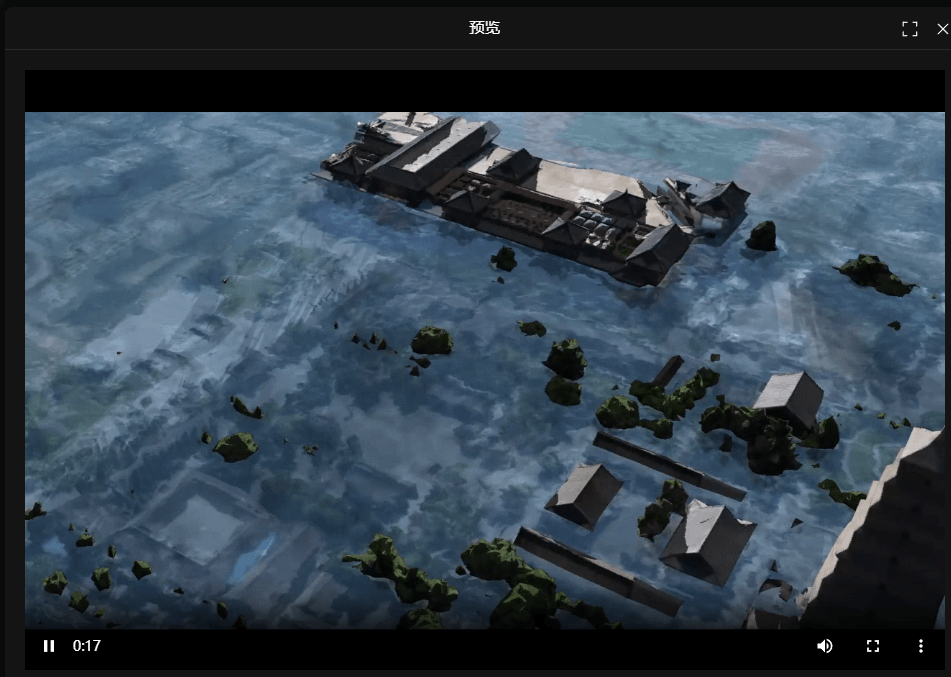
结果展示:
✨ 总结
通过以上步骤,我们成功实现了:
- FFmpeg 推流:模拟真实的 RTSP 监控环境 📹
- WebRTCPlayer:底层处理媒体流的“播放引擎” 🚂
- MediaMTXLinker:负责信令交换和心跳保活的“调度员” 👮♂️
- Vue 组件:即插即用的 UI 封装 🧩
🌟 关键特性:
- 低延迟: WebRTC 带来的毫秒级体验
- 自动保活: 内置心跳机制,防止连接断开
- 高复用: 组件化设计,随处调用
⚠️ 注意事项:
- 需配置 Nginx 反向代理 解决跨域问题。
- 生产环境建议部署 TURN 服务器 以应对复杂网络环境。
- 注意处理网络波动导致的异常和自动重连逻辑。

 微信
微信 支付寶
支付寶